
 EN
EN
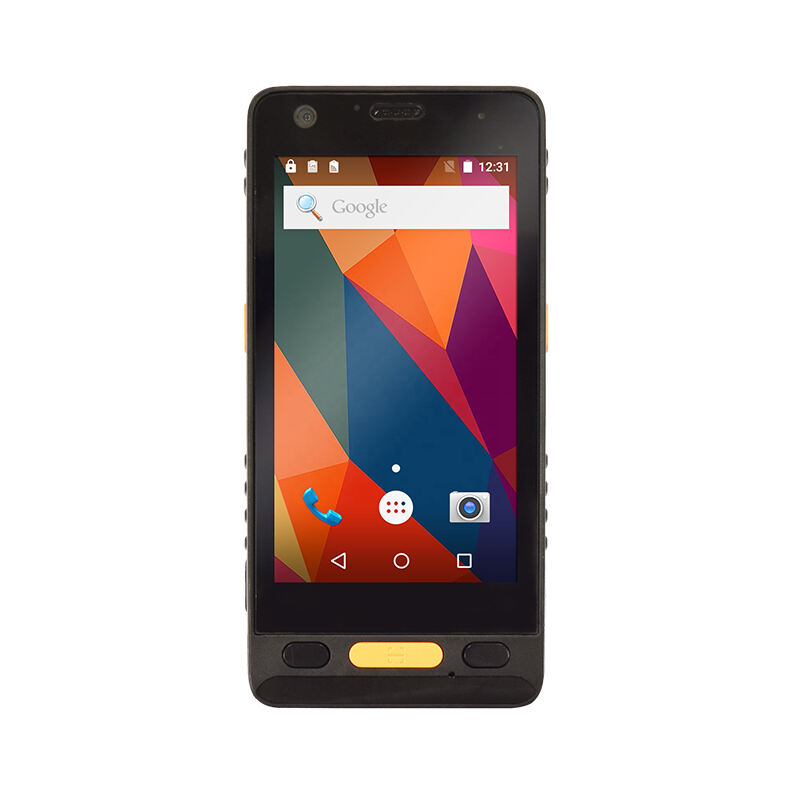
A GIS data collector is only as productive as its battery allows it to be. In demanding fieldwork environments — from dense forests to remote survey corridors — a unit that dies mid-session can disrupt workflows, compromise data integrity, and drive up operational costs. Understanding what actually determines battery life in a GIS data collector is not just a technical curiosity; it is a critical factor in equipment selection, field planning, and total cost of ownership.
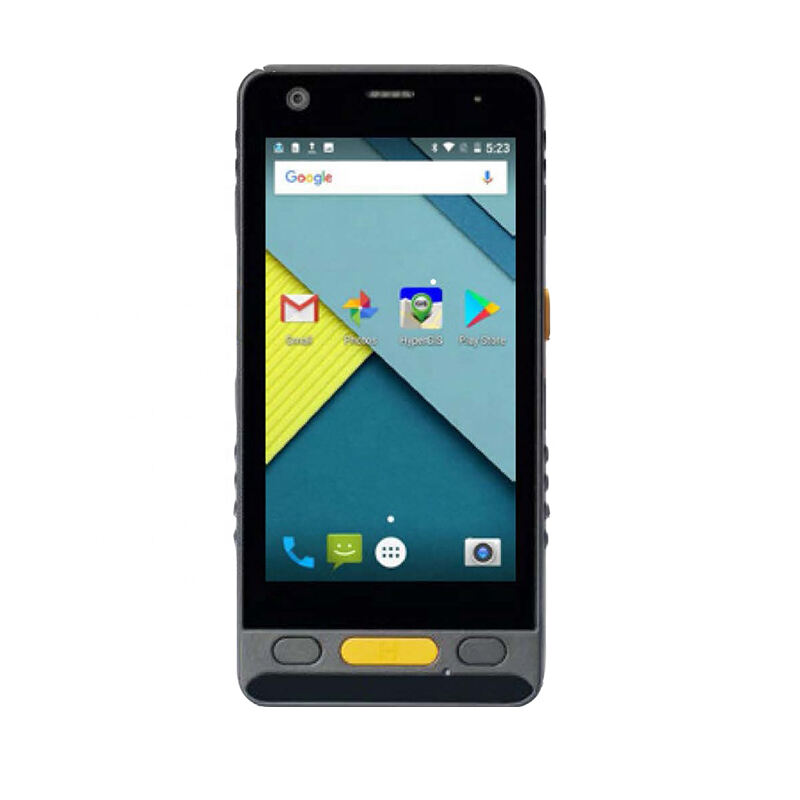
Battery life in a GIS data collector is shaped by a complex interaction of hardware design, software behavior, environmental conditions, and how the device is actually used in the field. No single specification tells the whole story. This article breaks down the key factors so that GIS professionals, field managers, and procurement teams can make informed decisions and get the most from every charge cycle.
Battery Capacity and Chemistry
Why Rated Capacity Is Only Part of the Picture
The most visible battery specification on any GIS data collector is its rated capacity, typically measured in milliampere-hours (mAh). A higher mAh rating generally means more stored energy, but this figure only describes potential — not actual runtime. Real-world battery life depends on how efficiently the device draws from that energy reserve under varying workloads.
A GIS data collector running intensive GNSS positioning, cellular data transmission, and high-resolution display simultaneously will drain even a large battery rapidly. Conversely, a unit configured for periodic data logging with the screen dimmed and radios selectively enabled can sustain operation far beyond what its nominal capacity might suggest. Field teams need to think in terms of workload-adjusted runtime rather than raw capacity alone.
Battery aging also affects usable capacity over time. Lithium-ion and lithium-polymer batteries — the most common chemistries in modern GIS data collector designs — typically retain around 80 percent of their original capacity after 300 to 500 full charge cycles. Older devices or heavily used units may deliver significantly shorter field sessions even if their rated specs remain unchanged on paper.
Battery Chemistry and Its Impact on Performance
Lithium-polymer batteries offer slightly better energy density and can be shaped to fit slim device profiles, making them popular in compact GIS data collector designs. Lithium-ion cells, on the other hand, tend to be more cost-effective and are widely used in rugged, field-grade equipment. The practical difference in battery life between the two chemistries is often minor compared to the influence of usage patterns and feature activation.
Temperature sensitivity is an important chemistry-related factor. Cold environments can temporarily reduce the available capacity of lithium-based batteries by 20 to 30 percent. A GIS data collector used in winter alpine conditions or early-morning field sessions may experience noticeably shorter battery life even with a fully charged, healthy battery. Keeping the device insulated when not actively in use can help mitigate this effect.
Processor and Display Power Consumption
Computational Load and Battery Draw
The processor inside a GIS data collector is one of the most significant consumers of battery energy. Processing-intensive tasks — such as real-time coordinate transformation, running complex GIS applications, rendering large map layers, or managing simultaneous Bluetooth, Wi-Fi, and GNSS connections — place a sustained load on the CPU and associated chipsets. The more active these processes are, the faster the battery depletes.
Modern GIS data collector hardware often incorporates power management architectures that throttle processor speed when full performance is not required. When a unit is idle or performing simple data entry, these power-saving modes can extend battery life substantially. Field operators who understand their device's power management settings can make deliberate choices — such as closing background applications or reducing screen refresh rates — that meaningfully extend field time.
Firmware and operating system efficiency also play a role. A well-optimized GIS data collector platform will schedule background tasks intelligently, suspend unused modules, and minimize wake events that unnecessarily engage the processor. Keeping device firmware and field software updated is therefore not just a feature enhancement — it is also a battery management practice.
Display Brightness and Screen-On Time
The display is typically one of the top three power consumers on any GIS data collector. High-brightness outdoor-readable screens — necessary for visibility in direct sunlight — consume significantly more energy than standard displays. A unit running at maximum brightness continuously will deplete its battery much faster than one using automatic brightness adjustment or a reduced brightness setting in shaded conditions.
Screen-on time management is a simple but highly effective battery conservation technique. Setting short screen timeout intervals so the display switches off during idle periods can add meaningful additional runtime over a full field day. Many experienced GIS data collector users build this habit into their field practice as a standard operating procedure rather than an optional setting.
GNSS and Radio Technology Activation
GNSS Engine Power Demand
The GNSS receiver is central to the function of any GIS data collector, and it is also one of the most energy-intensive components. Multi-constellation receivers — capable of tracking GPS, GLONASS, BeiDou, Galileo, and QZSS signals simultaneously — provide superior positioning accuracy and reliability, but they require the receiver chipset to process a far greater number of satellite signals compared to single-constellation designs.
High-accuracy GNSS modes, such as real-time kinematic (RTK) positioning, demand continuous correction data streams and intensive satellite tracking, resulting in higher power draw than standard autonomous GNSS. A GIS data collector used in RTK mode throughout a full field day will experience meaningfully shorter battery runtime than the same unit used for basic mapping with sub-meter accuracy requirements. Matching GNSS accuracy mode to the actual job requirement is a practical way to extend battery life without compromising data quality.
Some GIS data collector platforms allow users to configure the GNSS update rate — the frequency at which position fixes are computed. Reducing the update rate from once per second to once every few seconds during stationary data collection tasks can reduce GNSS power draw without impacting the quality of the captured data. This type of configurable control gives field teams direct influence over their battery endurance.
Wireless Radio Usage and Connectivity
Cellular modems, Wi-Fi radios, and Bluetooth modules each contribute to battery consumption on a GIS data collector. Cellular connections — particularly when operating in areas with weak signal coverage where the modem works harder to maintain connectivity — can be especially demanding. Field environments that require continuous NTRIP correction streaming over cellular are therefore more battery-intensive than offline mapping workflows.
Disabling radios that are not actively in use is one of the most impactful steps a field operator can take to extend battery life. If a GIS data collector is being used in a pre-downloaded offline mapping mode, turning off cellular and Wi-Fi eliminates unnecessary power draw without affecting field productivity. Bluetooth should similarly be disabled when not required for peripheral device connectivity.
Environmental Conditions and Field Usage Patterns
Temperature, Humidity, and Ambient Conditions
Operating temperature has a direct and measurable effect on battery performance in any GIS data collector. High ambient temperatures accelerate battery degradation over time and can cause temporary capacity reduction during operation. Extremely low temperatures, as noted earlier, reduce the battery's ability to deliver its rated capacity on any given charge. For field teams operating in climate extremes, building extra battery capacity into their planning — through spare batteries or vehicle charging — is a practical necessity.
Humidity and moisture exposure, while primarily a concern for device durability rather than direct battery drain, can affect electronic components over time if a GIS data collector's sealing is compromised. A well-rated IP67 or IP68 enclosure protects both the battery contacts and internal electronics from environmental ingress, preserving device integrity and long-term battery health across the device's operational life.
Duty Cycle and Field Workflow Design
How a GIS data collector is used throughout a field day has a profound impact on its effective battery life. A device that is continuously active — with GNSS tracking, cellular streaming, and display fully on — will have very different runtime characteristics from a unit that is actively used for 10 minutes of every 30 as part of a survey-and-traverse workflow. Planning field workflows around natural break periods, where the device enters a low-power or standby state, can significantly extend daily operational range.
Charging habits also influence long-term battery health. Regularly allowing a GIS data collector battery to fully discharge before recharging, or consistently storing the device at full charge for extended periods, can accelerate capacity degradation. Best practice is to store lithium-based batteries at approximately 40 to 60 percent charge when not in active use, and to avoid leaving the device on charge indefinitely after it reaches full capacity.
Field managers who develop standardized charging routines — such as topping up all GIS data collector units at the start and end of each day, rotating spare battery packs, and logging charge cycles — can maintain predictable battery performance across their device fleet and avoid mid-project surprises caused by degraded battery capacity.
Software Optimization and Power Management Settings
Application Configuration and Background Processes
Field GIS software running on a GIS data collector can vary widely in its power efficiency. Applications that continuously poll sensors, refresh map tiles from remote servers, or maintain persistent network connections consume more energy than those designed with battery-aware architecture. Choosing field software that allows granular control over background processes, data sync intervals, and sensor polling rates gives users a direct lever for managing battery consumption.
Limiting the number of applications running simultaneously on a GIS data collector is a straightforward battery management practice. Many field operators run only the primary GIS capture application during active collection, closing email clients, navigation apps, and other background utilities. This reduces both processor load and network activity, extending the available battery life for core fieldwork tasks.
System-Level Power Profiles and Smart Charging
Many current-generation GIS data collector platforms offer configurable power profiles — such as 'field mode' or 'battery saver mode' — that systematically reduce the power draw of non-essential components. These profiles may lower processor speed, reduce GPS update frequency, dim the display, and disable unused radios simultaneously. Activating a field power profile is a simple step that can meaningfully extend runtime without requiring manual adjustment of individual settings.
Smart charging technology, incorporated in some advanced GIS data collector designs, monitors battery health and adjusts the charging process to minimize long-term degradation. Features such as charge limiting (capping at 80 or 90 percent for daily use), adaptive charging speed, and temperature-aware charging protocols contribute to maintaining battery capacity over the device's working life. When evaluating a GIS data collector for long-term field deployment, understanding the sophistication of its power management ecosystem is as important as its rated battery capacity.
FAQ
How long should a GIS data collector battery last on a single charge?
A modern GIS data collector with a well-sized battery can typically support 8 to 12 hours of field operation under moderate usage conditions. However, activating high-accuracy GNSS modes, continuous cellular connectivity, and high-brightness display simultaneously can reduce runtime to 4 to 6 hours. The actual duration depends heavily on the specific combination of features active during fieldwork and the age of the battery.
Can cold weather significantly affect a GIS data collector battery?
Yes, cold temperatures can temporarily reduce the available capacity of a GIS data collector battery by 20 to 30 percent or more in extreme cases. Lithium-based batteries are chemically less efficient at low temperatures, meaning the device may shut down before the battery appears fully depleted. Keeping the GIS data collector insulated during non-active periods and, where possible, keeping the unit body-warm can help mitigate this effect in cold field environments.
Does enabling RTK positioning drain the battery faster on a GIS data collector?
RTK positioning mode does increase battery consumption on a GIS data collector compared to standard GNSS operation. The receiver must continuously process correction data streams, track more satellite signals with higher precision, and often maintain an active cellular or radio connection for correction delivery. Field teams requiring RTK accuracy should plan for reduced battery runtime and consider carrying spare battery packs or a portable charging solution for full-day campaigns.
What is the best practice for preserving long-term battery health in a GIS data collector?
To preserve long-term battery health in a GIS data collector, avoid regularly fully discharging the battery and store it at approximately 40 to 60 percent charge when not in active use. Avoid leaving the device continuously plugged in at full charge for extended periods. Follow the manufacturer's guidance on charging temperatures, and take advantage of any built-in smart charging features that limit charge levels or adapt charging speed to protect battery longevity over many charge cycles.
Table of Contents
- Battery Capacity and Chemistry
- Processor and Display Power Consumption
- GNSS and Radio Technology Activation
- Environmental Conditions and Field Usage Patterns
- Software Optimization and Power Management Settings
-
FAQ
- How long should a GIS data collector battery last on a single charge?
- Can cold weather significantly affect a GIS data collector battery?
- Does enabling RTK positioning drain the battery faster on a GIS data collector?
- What is the best practice for preserving long-term battery health in a GIS data collector?