
 EN
EN
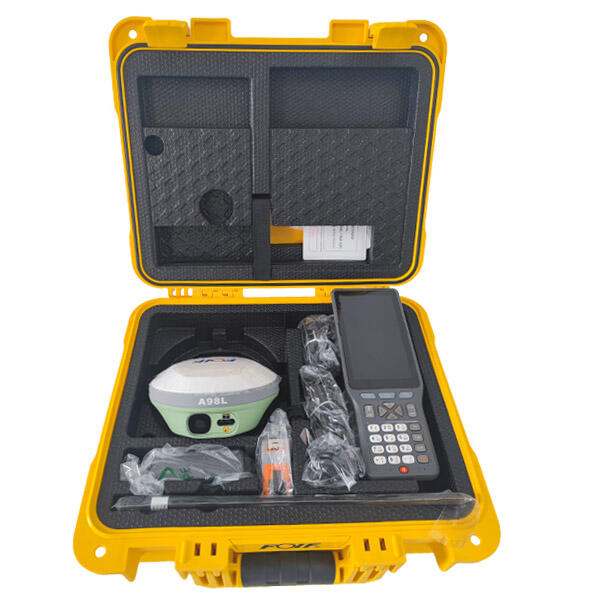
Getting accurate, reliable positioning from your RTK system depends almost entirely on how well it is configured. RTK technology delivers centimeter-level positioning accuracy, but only when the hardware, software, and environment are properly aligned. Whether you are deploying RTK for surveying, precision agriculture, drone navigation, or construction layout, a correct RTK configuration is the foundation of every successful result. Skipping or rushing the setup process often leads to poor fix rates, unstable solutions, and wasted fieldwork time.
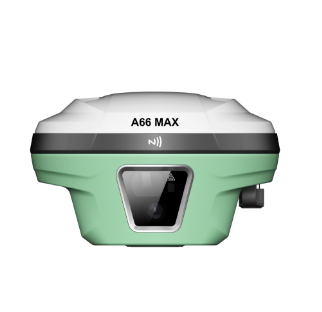
This guide walks through the essential steps for configuring your RTK system to achieve the best possible positioning performance. From selecting the right base station placement to fine-tuning rover settings and understanding RTK correction data streams, every decision in the configuration process has a measurable impact on your final output. By following a structured RTK setup approach, field teams can significantly reduce initialization time, maintain a stable RTK fix, and improve the consistency of their positional data across all working conditions.
Understanding RTK System Architecture Before Configuration
Base Station and Rover Roles in RTK
Every RTK system operates on a two-component architecture: a base station and a rover. The RTK base station sits at a known or precisely measured position and continuously transmits correction data. The RTK rover receives those corrections in real time and applies them to compute its own highly accurate position. Understanding this relationship is critical before you begin any RTK configuration work, because errors introduced at the base station level will propagate directly to every rover measurement taken during that session.
When configuring your RTK base station, always verify its placement on a stable, open surface with a clear sky view. The RTK base antenna should be free from overhead obstructions, multipath sources such as metal rooftops or nearby walls, and electromagnetic interference. A well-placed RTK base station dramatically improves the quality of the correction stream the rover receives, which directly shortens initialization time and improves fix stability throughout the working day.
RTK Correction Data Formats and Protocols
RTK correction data is typically transmitted using RTCM 3.x protocol, which is the most widely supported standard across modern RTK receivers. During RTK configuration, confirm that both your base station and rover are set to use the same RTCM message types and update rates. Common RTCM messages for RTK include 1005 or 1006 for base position, and 1074 through 1127 for satellite observation data depending on which constellations your RTK system supports. Mismatched protocol settings between the RTK base and rover are one of the most common causes of failed RTK initialization in the field.
Step-by-Step RTK Configuration for Optimal Performance
Configuring the RTK Base Station
Start your RTK configuration by setting the base station coordinates. If you are working in a surveying context where absolute accuracy is required, use a known control point or perform a precise static observation to establish the RTK base position. If relative accuracy between points is sufficient, you can allow the RTK base to self-survey its average position. In either case, confirm that the RTK base coordinate system matches the datum and projection you are using for your project, because a datum mismatch will introduce a systematic offset into every RTK rover measurement.
Next, configure your RTK base station transmit power, communication port settings, and correction output rate. Most RTK applications perform well at a 1 Hz correction update rate, though dynamic applications such as drone RTK or vehicle-mounted RTK may benefit from higher rates. Make sure the RTK base communication link, whether radio, cellular, or Wi-Fi, is stable before sending the rover into the field. A dropped RTK correction link forces the rover to fall back to a float solution, which loses the centimeter-level accuracy that RTK is designed to provide.
Configuring the RTK Rover
On the RTK rover side, configure the correction input source to match your RTK base output. Set the rover to accept RTCM corrections and select the matching constellation options, such as GPS, GLONASS, BeiDou, or Galileo, that your RTK base is also tracking. Enabling more satellite constellations in your RTK configuration generally improves fix reliability, especially in environments with partial sky obstructions. After applying these settings, allow the RTK rover sufficient time to initialize. Typical RTK initialization takes between a few seconds and a few minutes depending on baseline length, sky conditions, and signal quality.
Elevation mask settings on the RTK rover also deserve careful attention during configuration. A standard RTK elevation mask of 10 to 15 degrees filters out low-elevation satellite signals that often carry more multipath error. Setting this value too low in a challenging RTK environment can degrade solution quality, while setting it too high in open sky may unnecessarily reduce the number of satellites tracked. Adjust the RTK elevation mask based on your specific field conditions for the best balance between satellite count and signal integrity.
Optimizing RTK Performance After Initial Configuration
Monitoring RTK Fix Quality in the Field
Once your RTK system is configured and initialized, continuous monitoring of RTK fix status is essential. A solid RTK fix is indicated by a fixed integer ambiguity solution, which delivers the centimeter-level accuracy RTK is known for. A float RTK solution indicates that the system has corrections but has not yet resolved integer ambiguities, meaning positional accuracy is reduced. Whenever your RTK drops from fixed to float, stop data collection and allow the RTK receiver to re-initialize before continuing. Many RTK receivers display PDOP and satellite count values that can help you assess whether your RTK environment is suitable for reliable fixed solutions.
Troubleshooting Common RTK Configuration Issues
If your RTK system consistently struggles to achieve or maintain a fixed solution, revisit your RTK configuration settings systematically. Check the RTK baseline distance, as longer baselines between base and rover increase atmospheric decorrelation and make RTK fixing harder. Verify that your RTK correction link has adequate signal strength and that no firewall or network restriction is blocking the RTK data stream if you are using an NTRIP-based RTK correction service. Also inspect the RTK antenna mounting for any looseness or tilt, since antenna orientation affects RTK performance, particularly for heading-enabled RTK systems where dual-antenna setups require precise alignment.
Firmware updates are another often-overlooked aspect of RTK maintenance and optimization. RTK receiver manufacturers frequently release updates that improve RTK tracking algorithms, fix known RTK initialization bugs, and add support for new satellite signals. Keeping your RTK firmware current ensures you benefit from the latest RTK performance improvements without changing any hardware.
FAQ
How long does RTK initialization typically take after configuration?
RTK initialization time varies based on baseline length, satellite geometry, and signal environment. Under good open-sky conditions with a short RTK baseline, initialization can complete in under 30 seconds. In more challenging environments or with longer RTK baselines, it may take several minutes. Proper RTK configuration, including correct RTCM settings and strong correction link quality, minimizes initialization time significantly.
Can RTK be configured to work without a physical base station?
Yes, RTK can be configured to use a network-based correction service such as an NTRIP caster connected to a CORS network. In this setup, the RTK rover subscribes to a virtual base station stream over cellular data, eliminating the need to set up a physical RTK base in the field. This approach simplifies RTK deployment for large project areas but requires reliable internet connectivity to maintain the RTK correction data stream.
What is the maximum baseline distance for reliable RTK operation?
Standard single-baseline RTK systems perform most reliably within 10 to 30 kilometers of the RTK base station. Beyond this range, tropospheric and ionospheric errors become less correlated between the RTK base and rover, making integer ambiguity resolution harder to achieve and maintain. For projects requiring RTK coverage over larger areas, network RTK solutions using multiple reference stations provide more consistent RTK performance across extended working zones.